

What Is Error Reporting?
Section titled “What Is Error Reporting?”FOSSBilling includes optional error reporting through Sentry.io. When enabled, error events are sent to Sentry for debugging, with Sentry's documented security controls and a 90-day retention window.
Why Enable It?
Section titled “Why Enable It?”Error reporting helps in a few important ways:
- Better support — We can look up your errors using your instance ID, so you don't need to share logs
- Proactive fixes — We spot regressions and common errors across all installations
- Privacy — Sensitive data is automatically scrubbed. No need to share potentially sensitive log files
- Environment insights — We learn which setups (PHP versions, OS, etc.) have more issues
What Gets Reported?
Section titled “What Gets Reported?”Only what's needed to fix bugs:
| Data | Why |
|---|---|
| Request headers & URL | Understand what caused the error |
| PHP version | Track PHP-specific issues |
| PHP errors & exceptions | The actual error details |
| FOSSBilling version | Know if it's a known bug in a specific version |
| Instance ID | Link errors to your installation for support |
| Web server type | Identify server-specific problems |
| Stack trace | See the code path that led to the error |
| Server OS info | Find OS-specific issues |
Sensitive data is automatically filtered out before sending.
Error Reporting History
Section titled “Error Reporting History”| Version | Changes |
|---|---|
| 0.6.0 | Initial Sentry.io implementation |
Instance ID
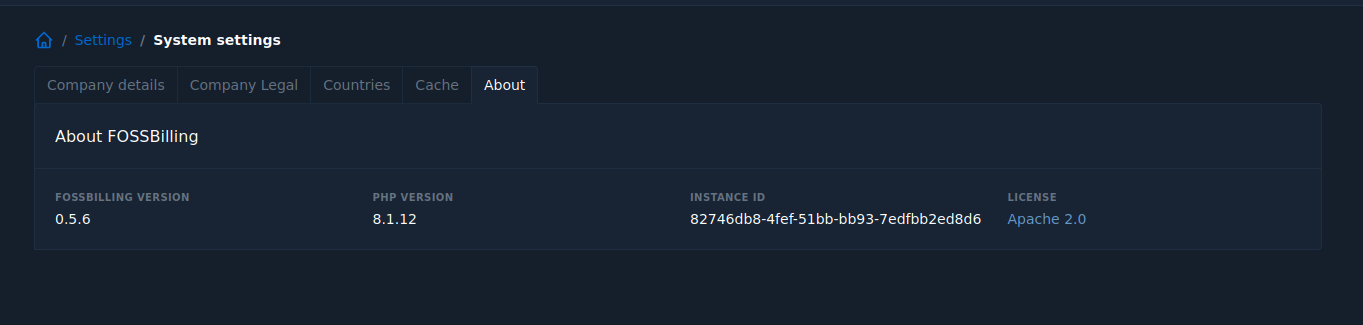
Section titled “Instance ID”Your instance ID is a unique, randomly generated identifier (RFC4122 v4). It's safe to share — it doesn't reveal anything about your installation.
Find it: Settings → About
Enable or Disable Error Reporting
Section titled “Enable or Disable Error Reporting”During installation: You'll be asked if you want to enable it.
After installation:
- Via settings: Go to Settings → System
- Via config: Set
report_errorsin yourconfig.php